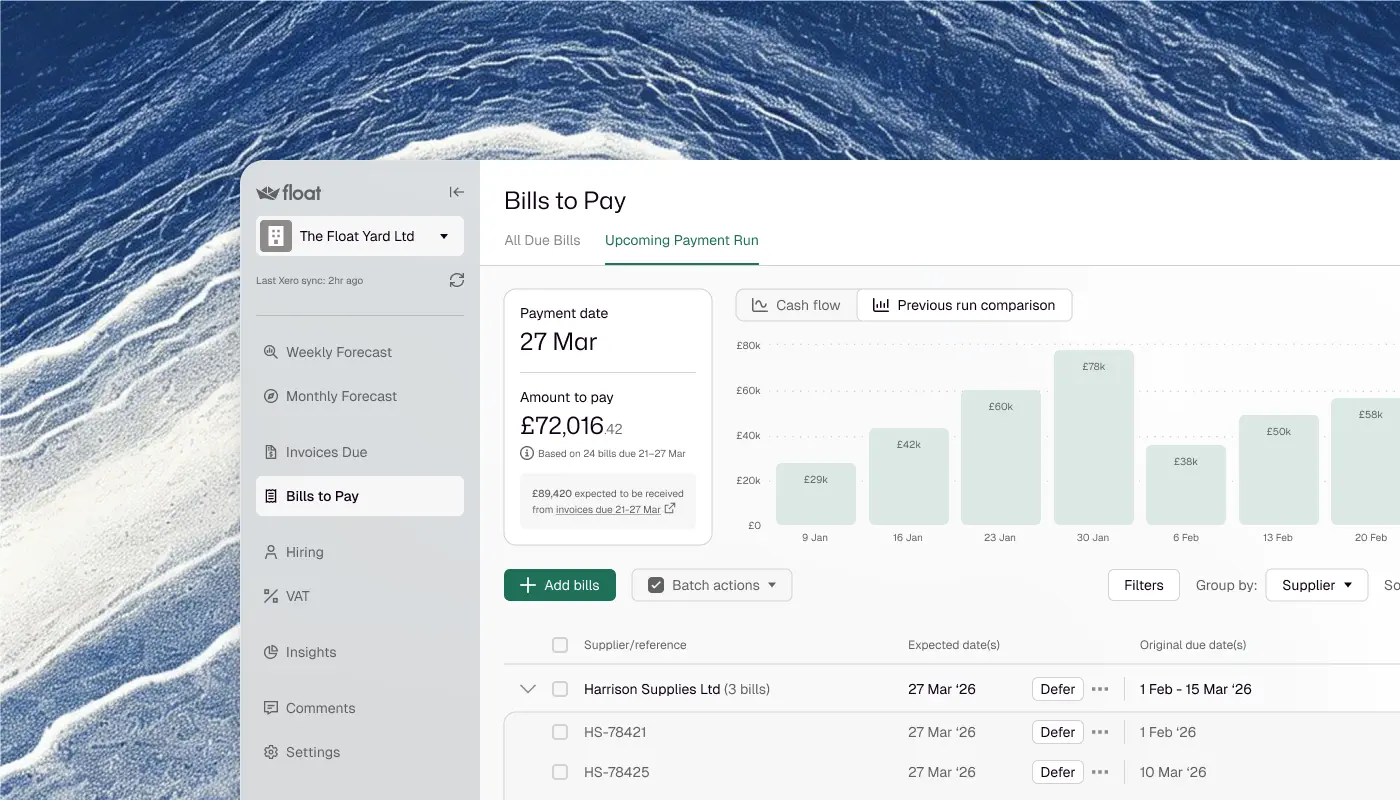
To consolidate cash flow across multiple entities, connect each company's Xero or QuickBooks Online organisation to one dashboard, include every bank account each ledger holds, and build one consolidated view with currencies converted into a single currency you choose. Float does this on its Scale plan, working from reconciled ledger data rather than direct bank feeds.
That last part matters, so we will say it plainly before anything else. Float does not connect to your banks. It connects to your accounting platform, and your accounting platform holds every bank account and credit card your entities use. Consolidating through the ledger means the group view is built from reconciled figures your accountant would recognise, not from raw feed data that changes under you. Every bank account across every entity, one view, on the numbers you have already agreed are right.
Why the group cash view usually lives in a spreadsheet
Here is a fact that explains more about group cash reporting than any software comparison: most groups this size do not have to consolidate at all. Under the Companies Act 2006, a UK group qualifies as small if it meets two of three tests, aggregate turnover up to £15m, a balance sheet total up to £7.5m, and no more than 50 employees, and small groups are exempt from preparing group accounts. A three-entity business with £4m of revenue and 25 staff sits comfortably inside that exemption.
So the consolidated cash view is voluntary. No auditor checks it, no regulator prescribes its format, and nobody outside the business ever asks to see it. The finance team builds it because they need it, for payroll cover, funding decisions, board packs and lender conversations. That is exactly why it lives in a spreadsheet: work that nobody mandates rarely gets a system, however important it becomes.
The accounting platforms do not change this picture. Each Xero organisation is a separate subscription with its own isolated data, there is no native consolidated reporting across organisations, and Xero has said publicly that building it is not currently planned. QuickBooks Online works the same way: one company per file, with consolidation left to other tools. So each month someone exports entity balances, assembles them in a workbook, maps the accounts, converts the currencies and produces a group summary. Many teams buy a reporting add-on and still finish the job in a spreadsheet, because the add-on produces its reports rather than the specific cut the board wants. The result is a group cash picture that is only as fresh as the last time someone rebuilt it.
What breaks when you add entity cash together
Adding up entity balances feels like arithmetic, but three things go wrong in practice.
The first is double counting. A transfer between two group companies is not a group cash movement: it is the same pound in a different place. Assemble a group forecast from entity data without netting those transfers and you will see outflows and inflows that cancel in reality but not in your workbook, which makes the group position look busier and riskier than it is.
The second is timing. The sending entity books the transfer on Friday and the receiving entity records it on Monday, so at any cut-off the two sides may not match. The discipline that fixes this, recording both sides of every intercompany movement and reconciling them before you consolidate, is exactly the kind of routine that slips when the whole process is manual.
The third is currency. Balances held in another currency are retranslated at the closing rate each time you report, so a group view assembled with whatever rate the spreadsheet carried last month will move for reasons nobody caused. Intercompany funding makes this sharper still: a parent that has lent money to an overseas subsidiary holds a balance that nets out at group level yet still shifts in sterling terms every time the rate does, with no cash going anywhere. If your group view has ever moved and nobody could say why, a stale exchange rate is the first place to look.
How to consolidate multi-entity cash flow in Float
Step 1: Connect each company. Select Connect a company from the dashboard, authorise the link to Xero or QuickBooks Online, and choose the organisation to import. Each entity is connected separately, so you can add them one at a time as your structure grows. Most users have a working forecast for an entity within minutes of connecting it.
Step 2: Choose which bank accounts count. Float imports every bank account and credit card from each ledger, with each one included by default. Include or exclude accounts per entity so the forecast reflects the accounts that matter, and transfers between two included accounts within a company net off rather than showing as false movement.
Step 3: Create the consolidation. From the dashboard, open the Consolidation tab, choose the companies to include, name the view, and pick a display currency. Companies that report in different currencies are converted into the one you chose, with the rate used shown.
Step 4: Read the group and the entities in one place. The consolidated view shows each company's net cash movement by section, with a toggle between the cumulative group position and individual company balances, in monthly or weekly views. Click into any company to see its own cash flow in full, and share or export the view for the board pack.
Step 5: Keep it current. Float imports from each ledger automatically once a day at an hour you choose, with a manual sync whenever you want one. Only reconciled data enters the forecast, so the group view is as current as your bookkeeping: reconcile daily, or at least weekly, and the consolidation stops being a month-end rebuild and becomes a view you open.
What Float consolidates today, exactly
Multi-entity consolidation is part of Float's Scale plan, which covers up to five entities, with more added on a per-entity price. Current plans are on the pricing page. Across those entities, the consolidated view carries every bank account and credit card their ledgers hold, converts currencies into your chosen display currency, and refreshes on the daily sync from each accounting platform. Access is controlled per company with role-based permissions: Admins and Editors can change the forecast, Viewers get read-only access, and two-factor authentication is mandatory for Xero users.
Two boundaries are worth stating just as clearly. Float's consolidation is a cash position, not a set of group accounts: it does not produce statutory consolidated financial statements and it does not eliminate intercompany balances. For most groups this size that is the right shape, because the statutory question is usually answered by the small-group exemption and the year-end work stays with your accountant. What the finance team needs week to week is the group cash picture, held to the same standard as the entity ledgers it comes from.
When an enterprise platform is the right answer
Some groups genuinely need more than this, and it is worth being precise about which ones. Enterprise treasury platforms exist for groups running different accounting systems and ERPs across territories, connecting directly to dozens of banks, pooling cash between entities, executing payments and hedging currency exposure. That is real capability for the businesses built that way, and it comes with the buying process to match: sales-led pricing, annual minimums and implementations measured in months.
A finance team running three entities on Xero or QuickBooks Online has the opposite shape of problem. The systems are already the same everywhere, so there is nothing to normalise, no integration project, and no reason the group view should cost more than the ledgers it reads from. Precision about what you consolidate beats breadth you will never connect.
One more distinction worth knowing: Sage Intacct handles multi-entity consolidation natively inside the ledger, eliminations included, which is one reason mid-market finance teams choose it. We are building a direct Sage Intacct connection, and you can join the waitlist to be first to know when it is ready. For a closer look at how Float compares with specific alternatives, we have written direct comparisons with Agicap and with Cash Flow Frog.
Frequently asked questions
Can Float consolidate cash flow across multiple companies?
Yes. Connect each company's Xero or QuickBooks Online organisation to one Float dashboard, then create a consolidation across selected companies or the whole group. The consolidated view shows the group cash position alongside each company's own movement, and you can click into any entity for its full cash flow.
Does Float connect directly to bank accounts?
No. Float imports bank accounts and credit cards from your accounting platform, using the reconciled balance your ledger reports. Every account your entities hold through Xero or QuickBooks Online appears in Float, and because the figures are reconciled, the group view matches the numbers your accountant signs off rather than a raw bank feed.
Can Float consolidate companies that use different currencies?
Yes. When you create a consolidation you choose a display currency, and companies reporting in other currencies are converted into it, with the exchange rate used shown against the converted figures. Each company's own cash flow stays in its own currency.
Does Float handle intercompany eliminations?
No. Float's consolidation is a group cash position, not statutory consolidation, so it does not eliminate intercompany balances or produce group accounts. Most groups at this size are exempt from preparing group accounts in any case, so the statutory work stays with your accountant while Float answers the weekly question: how much cash does the group have, and where is it?
How many entities can Float consolidate?
The Scale plan includes multi-entity consolidation for up to five entities, and further entities can be added at a per-entity price. Plan details and current prices are on the pricing page.
How current is the consolidated view?
Float imports from each connected ledger automatically once a day, at an hour you choose, and you can run a manual sync at any time. Only reconciled data enters the forecast, so the view is current on the last sync and as accurate as your bookkeeping. Reconciling daily or weekly keeps the group position dependable.
Who on the finance team can see the consolidated position?
Access is set per company with role-based permissions. Admins and Editors have full edit access to the cash flow, Viewers have read-only access, and only Admins manage users. Two-factor authentication is mandatory for Xero users, and single sign-on through your accounting platform is available.
What does multi-entity consolidation cost?
It depends on the plan and the number of entities you consolidate. Multi-entity consolidation sits on the Scale plan, with up to five entities included and a per-entity price beyond that. Current plans and prices are on the Float pricing page.
See every entity and every bank account in one view. Start your free 14-day trial, or book a demo and we will build the consolidated view on your own numbers.